
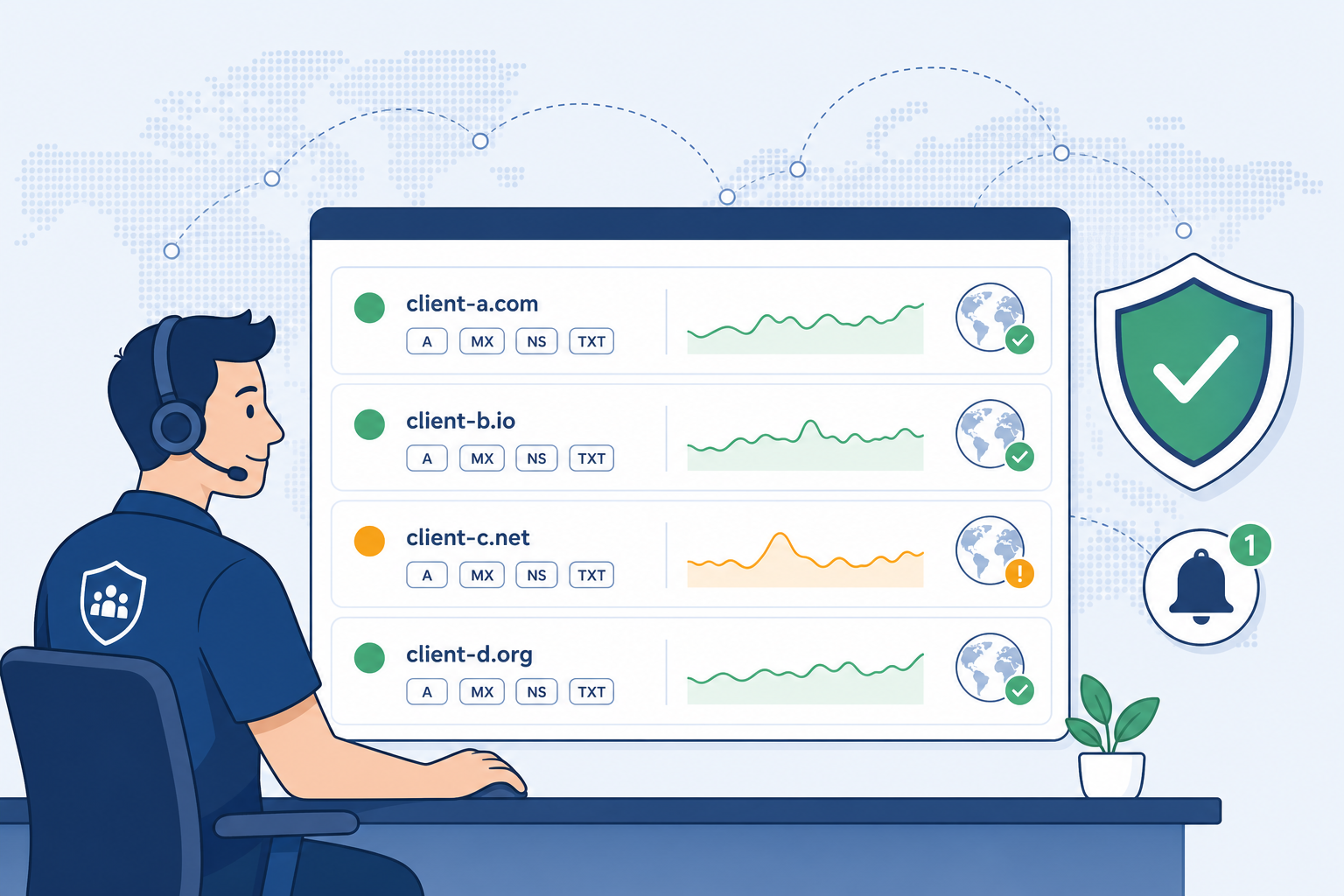
If you run an MSP, this is the call that ages you. The fix is almost always small. A record was edited at the registrar. A vendor changed an MX target. A new tool added a TXT record and pushed SPF over the lookup limit. None of that should reach a client. With the right monitoring, none of it does.
Here is a real one. A 40-person law firm renews their EV certificate. The vendor needs a CAA record cleaned up. The IT director at the firm logs in at midnight, fixes the CAA, and accidentally drops the firm's www A record. By 7 am, no one can reach the public site. Intake forms are down. The MSP gets the call at 7:14 am. They have no alert. They learn from the client.
Another one. A marketing intern at a healthcare client adds a new email tool. The tool asks for an SPF include. The intern adds it. SPF now exceeds 10 lookups. Outbound mail starts hitting spam. There was no alert and no baseline.
The shape is always the same. A tiny DNS edit, made by a person you do not control, breaks a service you are responsible for. DNS monitoring closes that gap. This guide covers the records to watch, a 30 minute setup, sane alerting, runbooks, and pricing.
What DNS monitoring actually means for an MSP
DNS monitoring is not just an uptime check. An uptime check tells you the site is up. DNS monitoring tells you the records that decide whether the site, the mail, the SSO, and the deliverability of your client are still set the way they should be.
For an MSP, the job is three things at once. First, detect drift. Any change to a record you care about should fire within minutes, not hours. Second, verify propagation. A change is not done until every public resolver agrees. Third, keep a history. When a client asks 'what changed last Tuesday at 3 pm', you need the answer in one click, not a war room.
The records you watch and the people who can edit them rarely overlap. The client's web vendor edits A and CNAME. The mail vendor edits MX and TXT. The marketing team edits SPF includes. The CISO edits CAA. The MSP holds the bag for all of it. Monitoring is how you turn that mess into a system.
The 8 DNS records every MSP should watch per client
You do not need to watch every record on every domain. You need to watch the ones that take a service down or hurt deliverability when they drift. These are the eight that matter for almost every client.
A and AAAA
These point a hostname at an IPv4 or IPv6 address. If they change, the website moves. A flip to a wrong IP is the most common 'site is down' incident.
client.com.        300  IN  A     203.0.113.10
client.com.        300  IN  AAAA  2001:db8::10
MX
Mail exchange. These decide where email for the domain is delivered. A bad MX flip means lost mail and angry partners. Watch priority and target.
client.com.   3600  IN  MX  10  mx1.mailvendor.net.
client.com.   3600  IN  MX  20  mx2.mailvendor.net.
NS
Name servers. These define who is authoritative for the zone. An NS change is the loudest possible signal that something major just happened. Sometimes a transfer. Sometimes a hijack.
client.com.   86400  IN  NS  ns1.dnsvendor.com.
client.com.   86400  IN  NS  ns2.dnsvendor.com.
SOA
Start of authority. The serial number ticks every time the zone changes. If the serial moves but you did not get a change ticket, someone edited the zone without telling you.
client.com. 3600 IN SOA ns1.dnsvendor.com. hostmaster.client.com. 2026052401 7200 3600 1209600 3600TXT
Free-form text records. They carry SPF, DKIM, DMARC, domain verification tokens, and certificate validation tokens. Most silent breakages live here.
client.com. 3600 IN TXT "google-site-verification=abc123..."SPF
A TXT record that lists who can send mail for the domain. Adding a new sender is normal. Pushing total DNS lookups over 10 silently breaks SPF and tanks deliverability.
client.com. 3600 IN TXT "v=spf1 include:_spf.google.com include:mailvendor.net include:newtool.io ~all"DMARC
A TXT record at _dmarc that tells receivers what to do with mail that fails SPF or DKIM. Watch the policy field. A move from p=quarantine to p=none weakens protection.
_dmarc.client.com. 3600 IN TXT "v=DMARC1; p=quarantine; rua=mailto:dmarc@client.com"CAA
Certificate authority authorization. It says which CAs can issue certs for the domain. If this changes without a ticket, your next cert renewal can fail at 2 am.
client.com. 3600 IN CAA 0 issue "letsencrypt.org"Setting up monitoring for a new client in 30 minutes
Once the records are clear, the setup is fast. Block 30 minutes for each new client. Here is the order that works.
Step 1: Audit the zone
Pull every record for the apex domain and every subdomain you care about. Save a snapshot. This is your baseline. If you do not have a baseline, you cannot detect drift later. Tools like DNS Spy snapshot the whole zone and diff it on every check.
Step 2: Pick the watched set
From the audit, mark which records are critical. For most clients that means apex A, www A, MX, all NS, SOA serial, SPF, DKIM selectors in use, DMARC, and CAA. Add anything tied to SSO, video, or a payment vendor. Skip noisy internal records that change often by design.
Step 3: Configure alerts
Set check intervals based on importance. NS, MX, and CAA on a 5 minute check. A and AAAA on 5 to 15 minutes. TXT on 15 minutes. Send alerts to a shared MSP channel, not a single tech. Tag each alert with the client name in the subject so triage is fast.
Step 4: Set escalation
Decide what is loud and what is quiet. NS change is always loud and pages on-call. MX change is loud during business hours, on-call after. SPF or DMARC is a ticket the next morning unless mail is already failing. Write this down. It is the difference between calm and chaos at 3 am.
Step 5: Send the welcome note
Tell the client you set this up. One short email. 'We now monitor your DNS records and will alert if anything changes outside a planned ticket.' This sets the expectation that edits go through you and gives you cover when an alert fires on something they did.
Alert fatigue and how to avoid it
Alert fatigue is the reason most MSPs turn DNS monitoring off after 90 days. It does not have to happen. The fix is three rules.
First, batch low-severity alerts. A new TXT for a domain verification token is not an emergency. Group these into a daily digest. Only the high-severity events page on-call.
Second, tier severity by record type. NS, MX, and apex A are sev-1. SPF, DMARC, and CAA are sev-2. New TXT records and TTL-only changes are sev-3. Map each tier to a different channel so noise does not crowd out signal.
Third, suppress expected changes. When you open a ticket to do work, mute alerts for that client and that record class for the duration of the ticket. Re-enable on close. DNS Spy and most modern tools support this with a maintenance window flag.
If your alert volume is still too high after these three rules, you are watching too many records. Trim the list back to the eight above and add others only when a service depends on them.
Runbooks: what to do when X changes
When an alert fires, the on-call tech should not have to think. They should open a runbook, follow it, and close the loop. Here are five that cover most events.
Runbook 1: NS change
Confirm the change with WHOIS and a second resolver.
Check the registrar audit log. Note the user and timestamp.
If the change matches a planned migration ticket, log and close.
If not, freeze the registrar account, rotate the registrar password, and call the client's primary contact on a known phone number.
Treat as a possible domain takeover until proven otherwise.
Runbook 2: MX flip
Capture the old and new MX values from the alert.
Test mail flow to a canary mailbox at the domain.
Check the mail vendor's admin console for a planned cutover.
If unplanned, revert the MX at the DNS host and notify the client.
Open a postmortem if any inbound mail bounced.
Runbook 3: SPF break
Run an SPF lookup count. Confirm whether the record now exceeds 10 lookups.
Identify the new include or A mechanism that pushed it over.
Decide: flatten the SPF, remove the include, or move that sender to a subdomain.
Push the fix and verify with a test send to a major provider.
Document the change in the client's SPF policy file.
Runbook 4: A record drift
Compare the old and new IP. Is the new IP owned by the client's hosting vendor?
Hit the new IP directly. Does the site load?
If the new IP is wrong, revert at the DNS host.
If the new IP is right but unannounced, log the change and update the baseline.
Check that the cert at the new IP matches the hostname.
Runbook 5: CAA or cert TXT change
Identify which CA was added or removed.
Check pending cert renewals in the next 30 days.
If a renewal is at risk, add the CA back or update the issuance config.
If the change was intentional, update the cert vendor in the client runbook.
Schedule a cert renewal dry run to confirm the change does not block issuance.
Pricing the service to clients
DNS monitoring is a service, not a feature. Price it that way. Three patterns work.
Per-domain pricing. Set a small monthly fee per monitored domain and bundle it into the managed services agreement. The fee should cover the tool cost, the on-call coverage, and a margin. Most MSPs land in the low single digits per domain per month at scale.
Tiered packages. Tie DNS monitoring to your service tiers. Bronze gets daily checks. Silver gets 15 minute checks. Gold gets 5 minute checks plus quarterly DNS reviews. This makes the upsell path obvious.
Project add-ons. Sell a one-time DNS audit and baseline as a paid project. Find the drift, document it, fix it, and hand the client a clean report. This turns the first month of monitoring into a billable engagement instead of a free setup.
The upsell hooks are easy. Email deliverability reviews. Domain takeover protection. Quarterly CAA and cert posture reports. Each one rides on the same monitoring data you already collect.
Tools comparison: DNS Spy vs DIY vs MXToolbox vs DNSCheck
There is no perfect tool. Pick the one that matches how your team works. Here is a fair read on the four most common choices.
DNS Spy
Built for DNS monitoring as a primary use case. Watches the full record set, diffs zones on every check, alerts on drift, runs propagation checks across global resolvers, and generates scan reports. Strong fit for MSPs who want one tool per client domain with low setup time. Pricing is tiered and per-domain. Free trial available.
DIY scripts
A cron job that runs dig and compares output works for one domain. It does not scale. You will spend more time on the script than on the work it replaces. Good for learning. Weak as a service offering.
MXToolbox
Strong on mail-focused checks and one-shot lookups. The monitoring tier covers blacklists, MX, and SPF well. Less depth on full-zone diffs and CAA history. Good as a second opinion or a mail-specific layer.
DNSCheck
Solid for one-time zone audits and DNSSEC validation. Less of a continuous monitoring product. Pair with another tool for ongoing alerts.
Getting buy-in from clients
Most clients have never thought about DNS as a risk. The pitch is short. 'DNS controls whether your site loads, whether your mail arrives, and whether your certs renew. We watch it for you. If anything changes outside a ticket, we know in minutes, not hours.'
Bring receipts. Show the client a recent incident at a similar firm. Show the SPF lookup story. Show the NS hijack story. Most owners will sign off in the same meeting once they see the failure mode.
If procurement pushes back on price, lead with risk. One mail outage costs more than a year of monitoring. One domain hijack ends careers. The math is not subtle.
Closing: start with one client this week
DNS monitoring is one of the highest-leverage services an MSP can add. Low time to set up. Low ongoing cost. High client trust when it catches the silent breakages. The eight records, the 30 minute setup, the alert tiers, and the five runbooks above are enough to launch the service this week.
If you want a tool that already does the heavy lifting, try DNS Spy free. Snapshot a client zone, set the alerts, and watch the first drift event roll in.
Or run a free scan of any domain to see what your DNS looks like right now.