
TL;DR
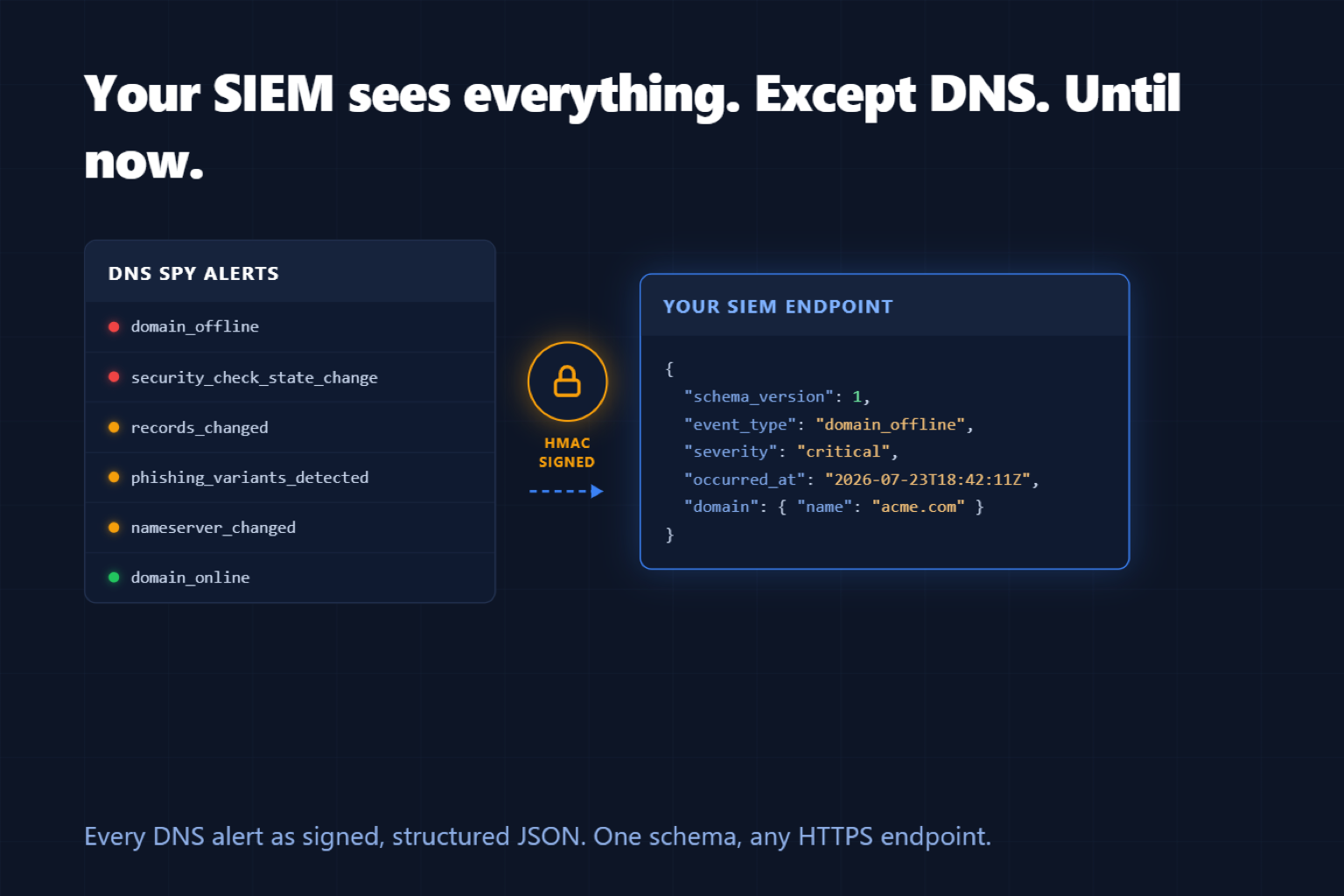
Enterprise teams can now add a Webhook alert channel that POSTs every DNS Spy alert — DNS record changes, domain outages, security check failures, WHOIS updates, phishing look-alike detections — to any HTTPS endpoint as structured JSON. Requests are optionally HMAC-signed, every delivery is logged and retried, and a Send Test button verifies your integration end to end.
DNS Events Belong in Your Security Pipeline
If your team runs a SIEM or a SOAR platform, that is where incidents live: correlated, triaged, and audited. An unexpected nameserver change or a newly registered look-alike domain is exactly the kind of signal that should land there — next to your firewall logs and identity events — not in yet another inbox.
Chat and email alerts are great for humans. Pipelines need structure. Webhook Alerts give you both: keep Slack or email for the team, and add a webhook channel that feeds the machinery.
One Schema for Every Alert
Every alert type shares the same versioned envelope — event type, severity (info, warning, critical), timestamp, team, domain — with event-specific detail nested inside. Write one parser and every current and future DNS Spy alert type flows through it.
{
  "schema_version": 1,
  "event_id": "9b2f6c1e-4a31-4c19-a4d9-2f9b1f6f8a10",
  "event_type": "domain_offline",
  "event_label": "Domain Offline",
  "severity": "critical",
  "occurred_at": "2026-07-23T18:42:11+00:00",
  "team": { "id": 42, "name": "Acme Corp" },
  "domain": { "id": 1337, "name": "acme.com" },
  "details": { "domain_id": 1337 }
}
Built for Production Pipelines
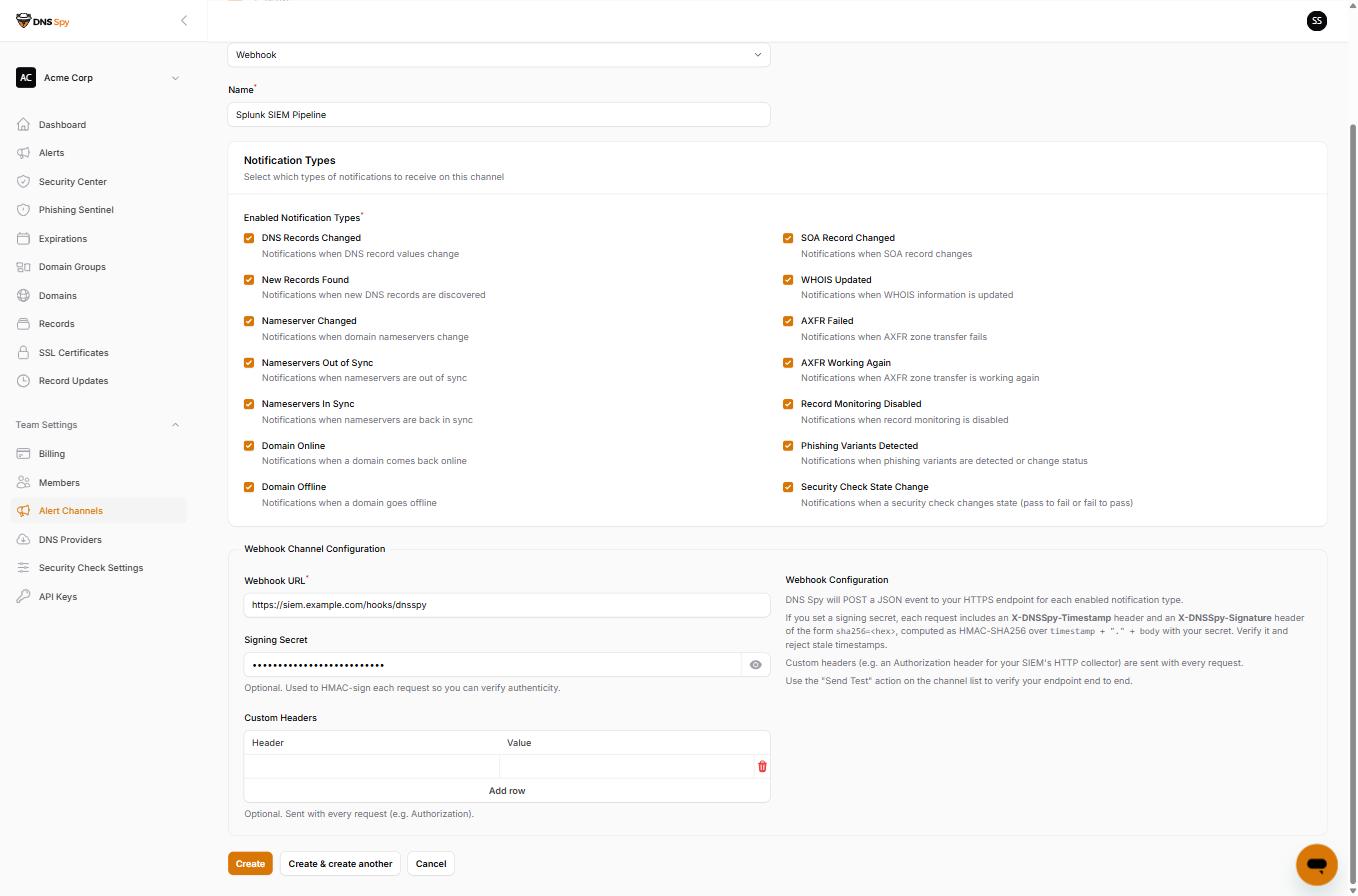
Signed requests — set a signing secret and every request carries an HMAC-SHA256 signature plus a timestamp, so your receiver can verify authenticity and reject replays.
Retries and a delivery log — transient failures are retried with backoff, and every attempt is recorded on the channel's Delivery Log so you can see exactly what was sent and when.
Failure protection — if your endpoint stays down, DNS Spy deactivates the channel after repeated consecutive failures and emails the team owner instead of silently dropping alerts forever.
Custom headers and per-type filtering — send whatever Authorization header your collector expects, and subscribe each channel to exactly the notification types it should carry.
Send Test — deliver a synthetic test event in the same schema before any real alert fires.
Getting Started
Webhook Alerts are available now on the Enterprise plan (and during trials). Head to Team Settings → Alert Channels, create a Webhook channel, and point it at your endpoint. The full payload schema, signature verification examples in Python and PHP, and delivery semantics are in the Webhook Alerts documentation.
Not monitoring your domains yet? Start a free 7-day trial; nothing is charged until it ends.