Webhook Alerts (SIEM Integration)
The webhook channel delivers every DNS Spy alert as structured JSON to an HTTPS endpoint you control. It is the universal integration path: point it at your SIEM's HTTP collector, a SOAR playbook trigger, a log pipeline, or your own service. Each request can be HMAC-signed so your receiver can verify it genuinely came from DNS Spy.
Requirements
An Enterprise plan (or active trial) — alert channels are an Enterprise feature.
A publicly reachable HTTPS endpoint. Plain HTTP and internal addresses are rejected.
If your endpoint sits behind a firewall, allowlist DNS Spy's egress IP: 100.51.114.25. All SIEM deliveries (webhooks and syslog) originate from it.
Setting Up a Webhook Channel
In the DNS Spy app, go to Team Settings → Alert Channels and click New Alert Channel.
Choose Webhook as the channel type and give the channel a name.
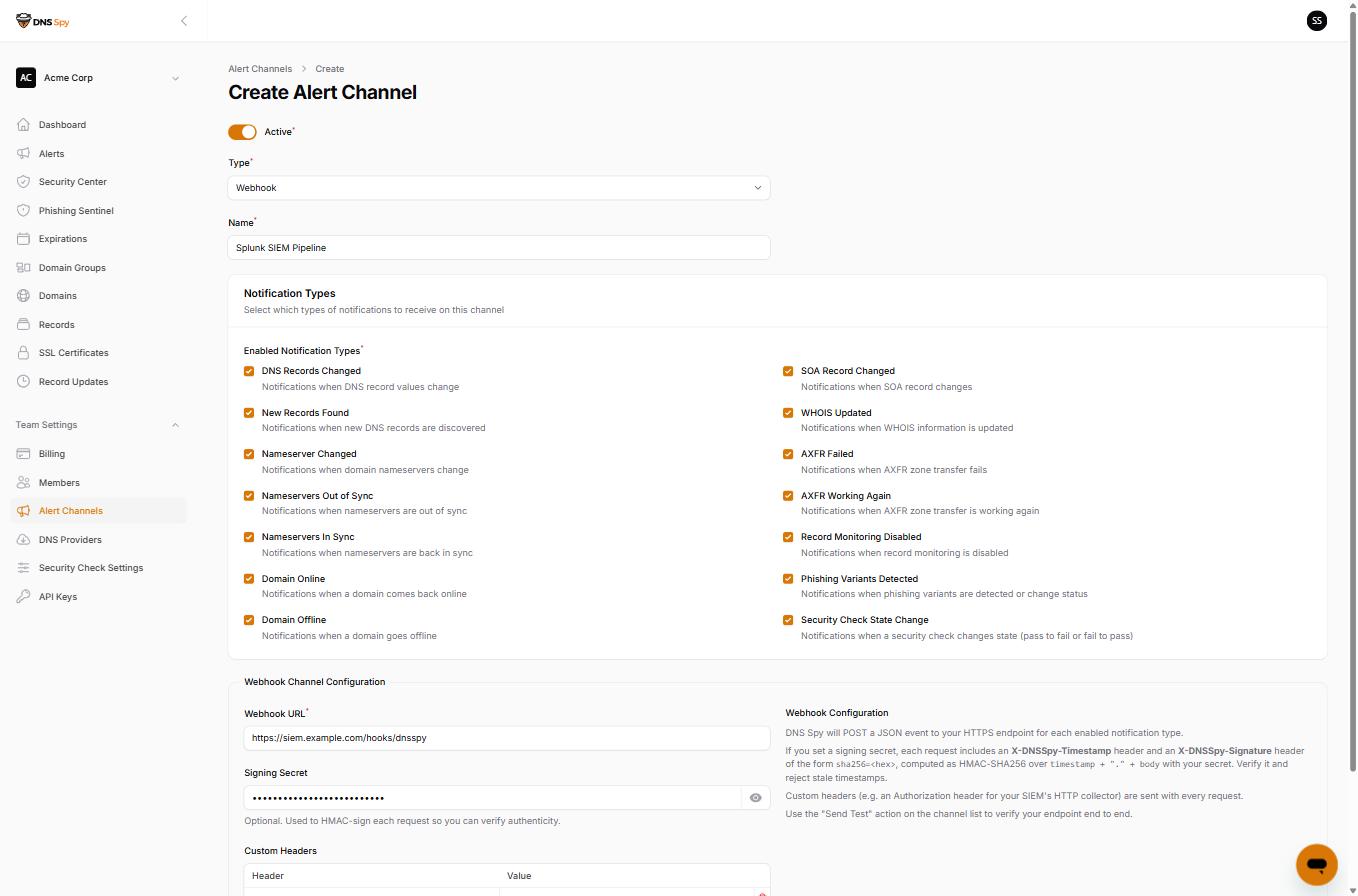
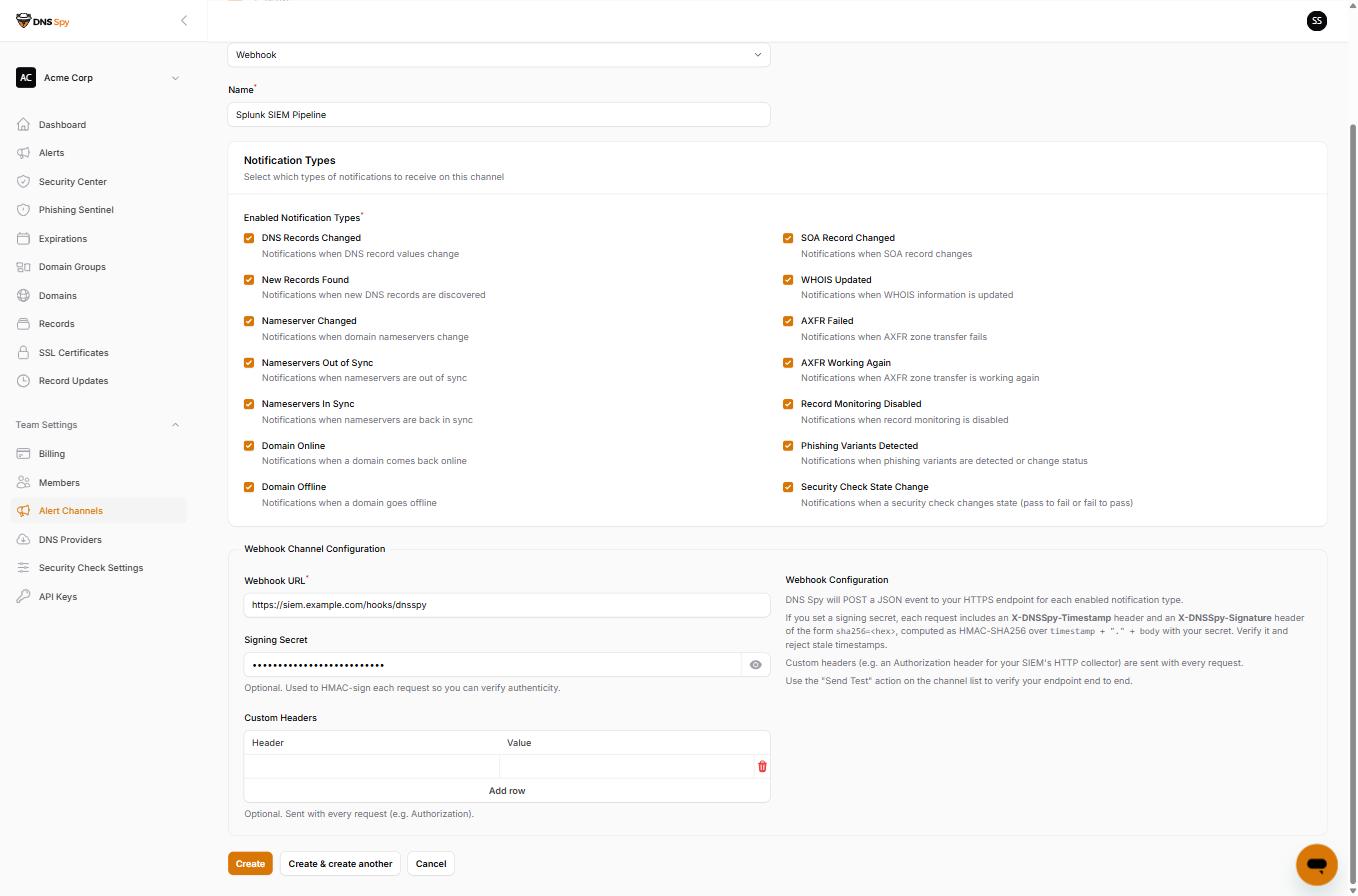
Enter your Webhook URL. Optionally set a Signing Secret (recommended — see signature verification below) and any Custom Headers your endpoint expects, such as an Authorization header for your SIEM's HTTP collector.
Select which notification types this channel should receive, then save.
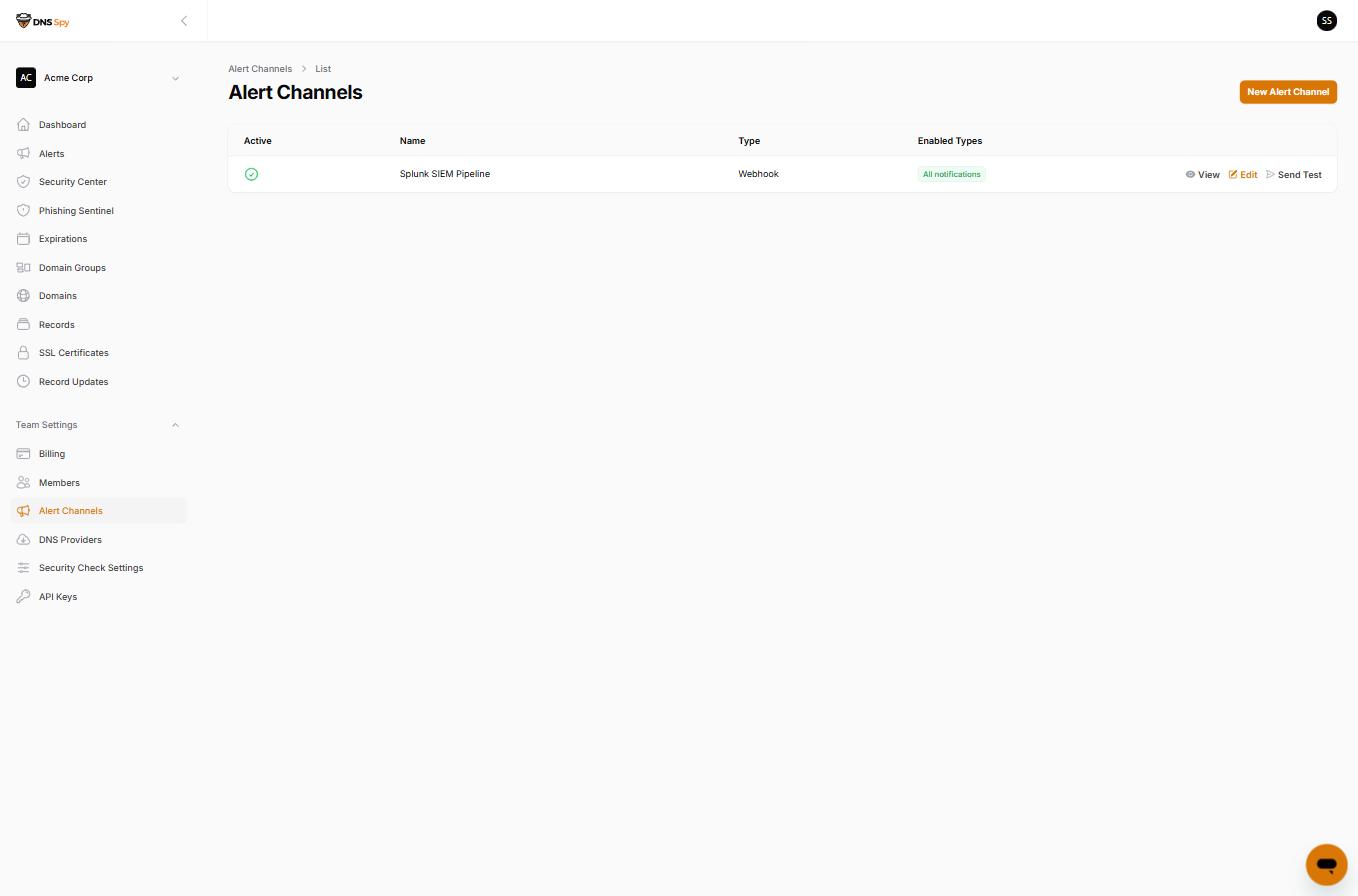
Use the Send Test action on the channel list to deliver a synthetic test event and confirm your receiver sees it.
The Event Payload
Every request is an HTTP POST with a JSON body in a single, versioned schema. All event types share the same envelope; the event-specific detail lives under details.
{
  "schema_version": 1,
  "event_id": "9b2f6c1e-4a31-4c19-a4d9-2f9b1f6f8a10",
  "event_type": "security_check_state_change",
  "event_label": "Security Check State Change",
  "severity": "critical",
  "occurred_at": "2026-07-23T18:42:11+00:00",
  "team": { "id": 42, "name": "Acme Corp" },
  "domain": { "id": 1337, "name": "acme.com" },
  "details": {
    "domain_id": 1337,
    "domain_name": "acme.com",
    "check_slug": "dnssec-validation",
    "check_name": "DNSSEC Validation",
    "previous_status": "pass",
    "new_status": "fail",
    "criticality": "high",
    "category": "DnsRecords"
  }
}schema_version– integer, incremented only on breaking changes. New optional fields may appear without a version bump, so parse leniently.event_id– UUID, stable per event. Use it to deduplicate retried deliveries.event_type– machine key for the alert type, e.g. records_changed, domain_offline, phishing_variants_detected, security_check_state_change. A synthetic type, test, is used by the Send Test action.severity– one of info, warning, or critical. Domain outages and failed zone transfers are critical; recoveries (domain back online, checks passing again) are info.occurred_at– ISO 8601 timestamp.team / domain– the DNS Spy team and monitored domain the event concerns. domain may be null for events without domain context (including test events).details– event-type-specific payload: changed record IDs for record events, check state for security events, variant summaries for phishing events, and so on.
Verifying Signatures
If the channel has a signing secret, every request carries two extra headers:
X-DNSSpy-Timestamp: 1784918531
X-DNSSpy-Signature: sha256=6c07c0a8f8a4…
The signature is an HMAC-SHA256 of the timestamp, a period, and the exact raw request body, keyed with your secret. Recompute it and compare with a constant-time comparison, and reject requests whose timestamp is more than a few minutes old to prevent replays.
import hashlib, hmac, time
def verify(secret: str, timestamp: str, raw_body: bytes, signature_header: str) -> bool:
if abs(time.time() - int(timestamp)) > 300:
return False
expected = "sha256=" + hmac.new(
secret.encode(), timestamp.encode() + b"." + raw_body, hashlib.sha256
).hexdigest()
return hmac.compare_digest(expected, signature_header)
$timestamp = $request->header('X-DNSSpy-Timestamp');
$expected = 'sha256=' . hash_hmac('sha256', $timestamp . '.' . $request->getContent(), $secret);
$valid = abs(time() - (int) $timestamp) <= 300
&& hash_equals($expected, $request->header('X-DNSSpy-Signature'));
Delivery Semantics
Any 2xx response marks the delivery successful. Respond quickly and process asynchronously — requests time out after 10 seconds.
Connection failures, 429, and 5xx responses are retried with backoff. Other 4xx responses are treated as permanent failures for that event.
Every attempt is recorded in the channel's Delivery Log, visible on the channel's page in DNS Spy.
If a channel fails many deliveries in a row it is automatically deactivated and the team owner is emailed. Fix the endpoint, then re-enable the channel to resume alerts.
Prefer syslog? DNS Spy also delivers alerts as RFC 5424 syslog over TLS with JSON or CEF payloads — see Syslog Alerts. Native integrations for Splunk HTTP Event Collector and Microsoft Sentinel are on the roadmap.
Check This on Your Own Domain
DNS Spy's free scan reads your live DNS, nameservers, SSL and email-authentication records and reports what it finds. No account required. Scan a domain →
If you want the same checks to keep running: DNS Spy re-resolves every monitored domain at least every ten minutes and alerts you when a record changes. See how monitoring works →