Syslog Alerts (RFC 5424 / CEF)
The syslog channel delivers every DNS Spy alert as an RFC 5424 syslog message straight to your collector — QRadar, ArcSight, LogRhythm, rsyslog or syslog-ng aggregators, and Microsoft Sentinel via its CEF forwarder. Choose TLS (recommended), TCP, or UDP transport, and a JSON or CEF payload per channel.
Before You Start: Allowlist Our Egress IP
All DNS Spy SIEM deliveries — syslog and webhooks — originate from a dedicated static address:
100.51.114.25Open your collector's syslog port (6514/tcp for TLS, or 514) to that address on your firewall or security group. Most collectors sit behind strict inbound rules, so this step is usually the difference between "works instantly" and "nothing arrives".
Setting Up a Syslog Channel
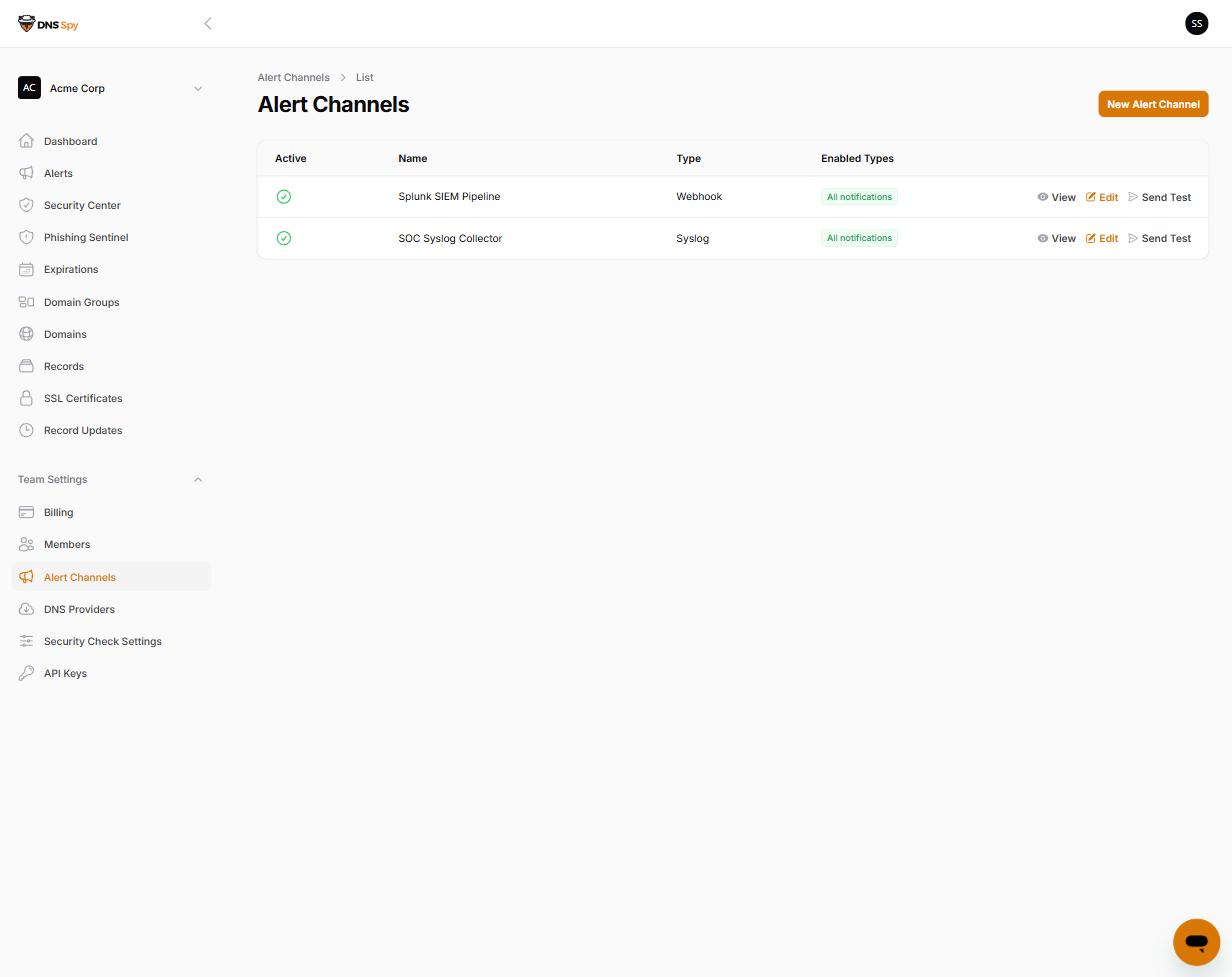
In the DNS Spy app, go to Team Settings → Alert Channels, click New Alert Channel, and choose Syslog as the type.
Enter your collector host, pick the protocol (TLS is recommended; the port defaults to 6514 for TLS and 514 for TCP/UDP), choose the message format — JSON or CEF — and a facility (local0 by default). Collectors with self-signed certificates can enable the Allow self-signed TLS certificate toggle.
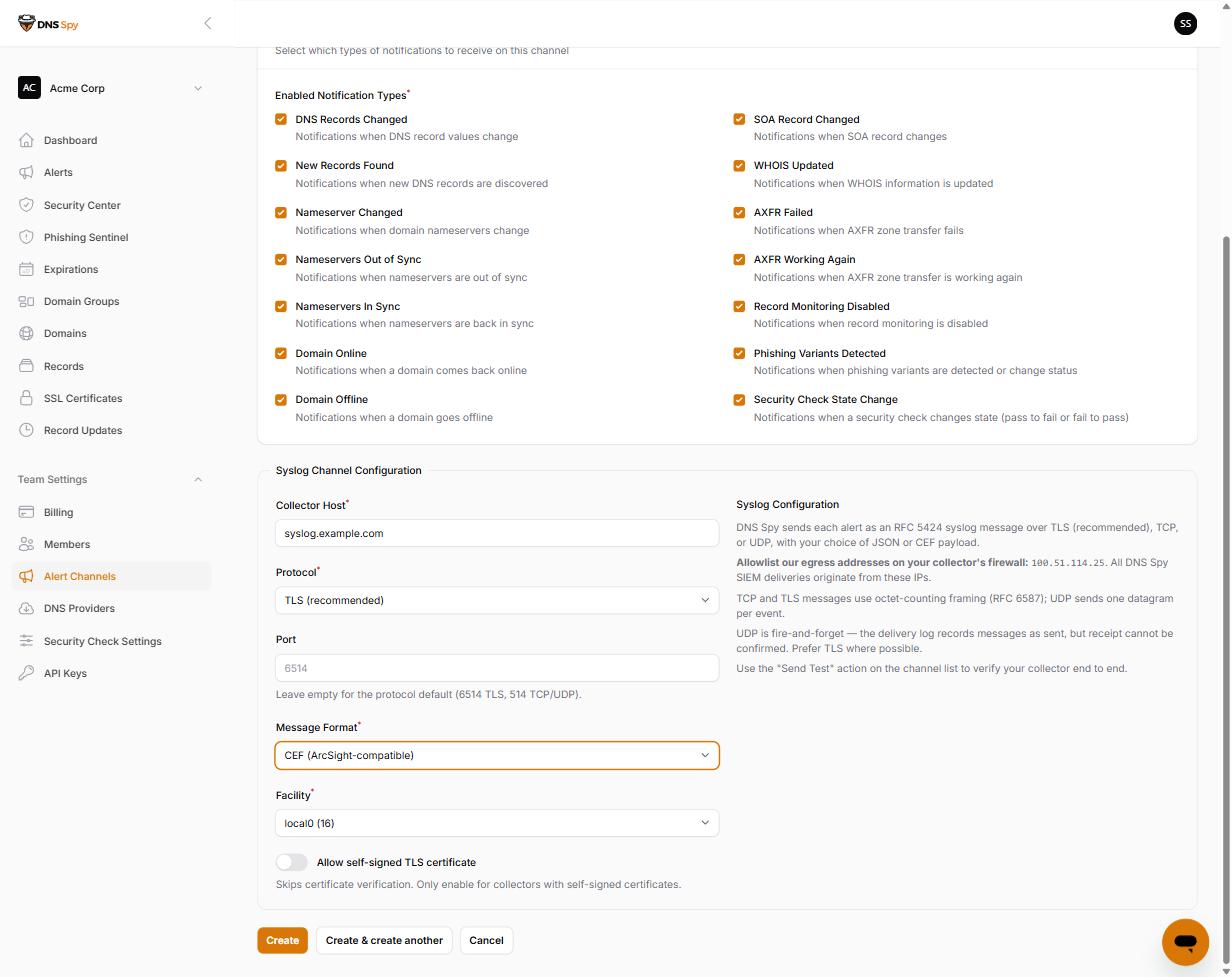
Select which notification types the channel should receive, save, and use Send Test on the channel list to deliver a synthetic test event and confirm it lands in your collector.
Message Format
Every message is RFC 5424 with octet-counting framing (RFC 6587) on TCP and TLS; UDP sends one datagram per event. The MSGID field carries the event type, so you can route on it without parsing the payload.
<130>1 2026-07-27T18:56:32+00:00 dnsspy.io dnsspy - domain_offline - {"schema_version":1,"event_type":"domain_offline","severity":"critical","domain":{"id":1337,"name":"acme.com"},…}The priority value maps your chosen facility with the event's severity: critical alerts (domain offline, failed zone transfers, high-criticality security checks) are syslog severity 2, warnings are 4, and informational events (recoveries) are 6.
With the JSON format, the message body is exactly the same versioned event schema used by webhook alerts — one parser covers both channels. See the Webhook Alerts documentation for the full schema reference.
CEF Format
For ArcSight-compatible collectors, choose CEF and the message body becomes:
CEF:0|DNS Spy|DNS Spy|1|domain_offline|Domain Offline|9|externalId=25ae9460-… rt=1785178592386 dhost=acme.com cs1Label=Team cs1=Acme Corp msg={"domain_id":1337}Signature ID / Name — the event type and its human-readable label.
Severity — CEF 0–10 scale: critical events are 9, warnings 6, informational 3.
Extensions — externalId (stable event UUID for deduplication), rt (epoch milliseconds), dhost (the monitored domain), cs1/cs1Label (your DNS Spy team), and msg (event-specific detail as compact JSON).
Collector Configuration Examples
rsyslog (TLS listener)
global(DefaultNetstreamDriver="ossl"
  DefaultNetstreamDriverCertFile="/etc/rsyslog-certs/cert.pem"
  DefaultNetstreamDriverKeyFile="/etc/rsyslog-certs/key.pem")
module(load="imtcp" StreamDriver.Name="ossl" StreamDriver.Mode="1" StreamDriver.AuthMode="anon")
input(type="imtcp" port="6514" ruleset="dnsspy")
ruleset(name="dnsspy") { action(type="omfile" file="/var/log/dnsspy.log") }
On Ubuntu, AppArmor confines rsyslog: if your certificate lives outside the standard paths, add the directory to /etc/apparmor.d/local/usr.sbin.rsyslogd (e.g. "/etc/rsyslog-certs/* r,") and reload the profile, or rsyslog will report "Permission denied" on the certificate even with correct file ownership.
syslog-ng
source s_dnsspy {
  network(transport("tls") port(6514)
    tls(key-file("/etc/syslog-ng/key.pem") cert-file("/etc/syslog-ng/cert.pem") peer-verify(optional-untrusted)));
};
destination d_dnsspy { file("/var/log/dnsspy.log"); };
log { source(s_dnsspy); destination(d_dnsspy); };
Microsoft Sentinel
Point a DNS Spy syslog channel (CEF format) at a Linux machine running Sentinel's log forwarder (the Azure Monitor Agent with the CEF data connector). Sentinel parses the CEF fields into the CommonSecurityLog table automatically. A native Sentinel integration is on our roadmap.
Delivery Semantics
TLS and TCP deliveries retry transient connection failures with backoff; a completed write is recorded as delivered.
UDP is fire-and-forget: the delivery log records messages as sent, but receipt cannot be confirmed. Prefer TLS where your collector supports it.
Every attempt is recorded in the channel's Delivery Log. If a channel fails many deliveries in a row it is automatically deactivated and the team owner is emailed — fix the collector, then re-enable the channel.
Syslog alerts are available on the Enterprise plan and during trials.
Check This on Your Own Domain
DNS Spy's free scan reads your live DNS, nameservers, SSL and email-authentication records and reports what it finds. No account required. Scan a domain →
If you want the same checks to keep running: DNS Spy re-resolves every monitored domain at least every ten minutes and alerts you when a record changes. See how monitoring works →